Creating Collections in Islandora 7.x-2.x
About Collections in Islandora 7.x-2.x
If you are used to creating collections in traditional Islandora, but wished the process was more 'drupally', then you'll be happy to know that creating a collection in Islandora 7.x-2.x is much like creating any other Drupal content. Here are the steps that outline that process.
Creating collections in Islandora 7.x-2.x is a lot like adding any type of node in Drupal.
-
Select
Add contentfrom the admin menu or the Navigation block. -
Select
Collectionfrom the list of content types. -
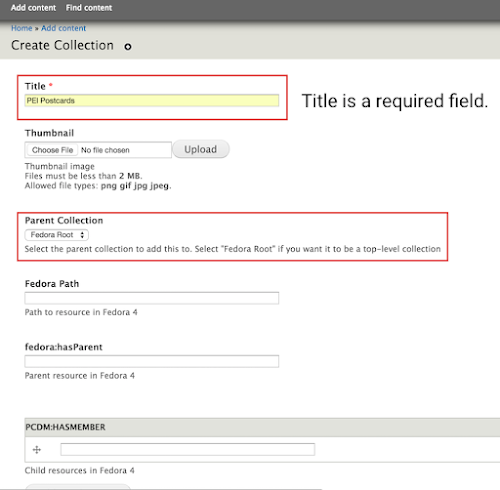
Fill in the fields in the associated metadata form.
-
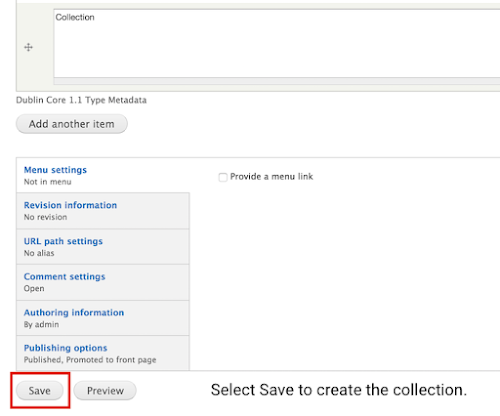
Select
Saveto create a new collection. -
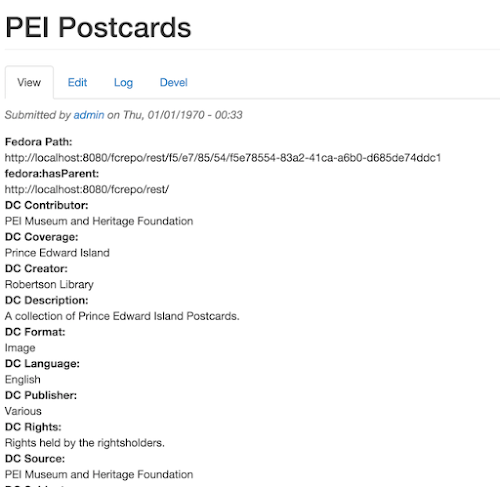
Your new collection displayed in Drupal.